What It Does
A purpose-built production logging platform for corrugated and converting plants. Operators log every shift on a tablet at the machine; admins get instant analytics, daily reports, and weekly batch rollups without rekeying anything.
Operators See:
- A simple, machine-specific job log (single-facer, sheeter, rewinder, coater, die-cut)
- Schedule pulled straight from the plant's existing Excel uploads
- Materials, crew, downtime, off-rolls, and quality checks — all in one screen
- Auto-saved, multi-shift continuation with carryover
Admins See:
- Live dashboard of completed and in-progress logs across every machine
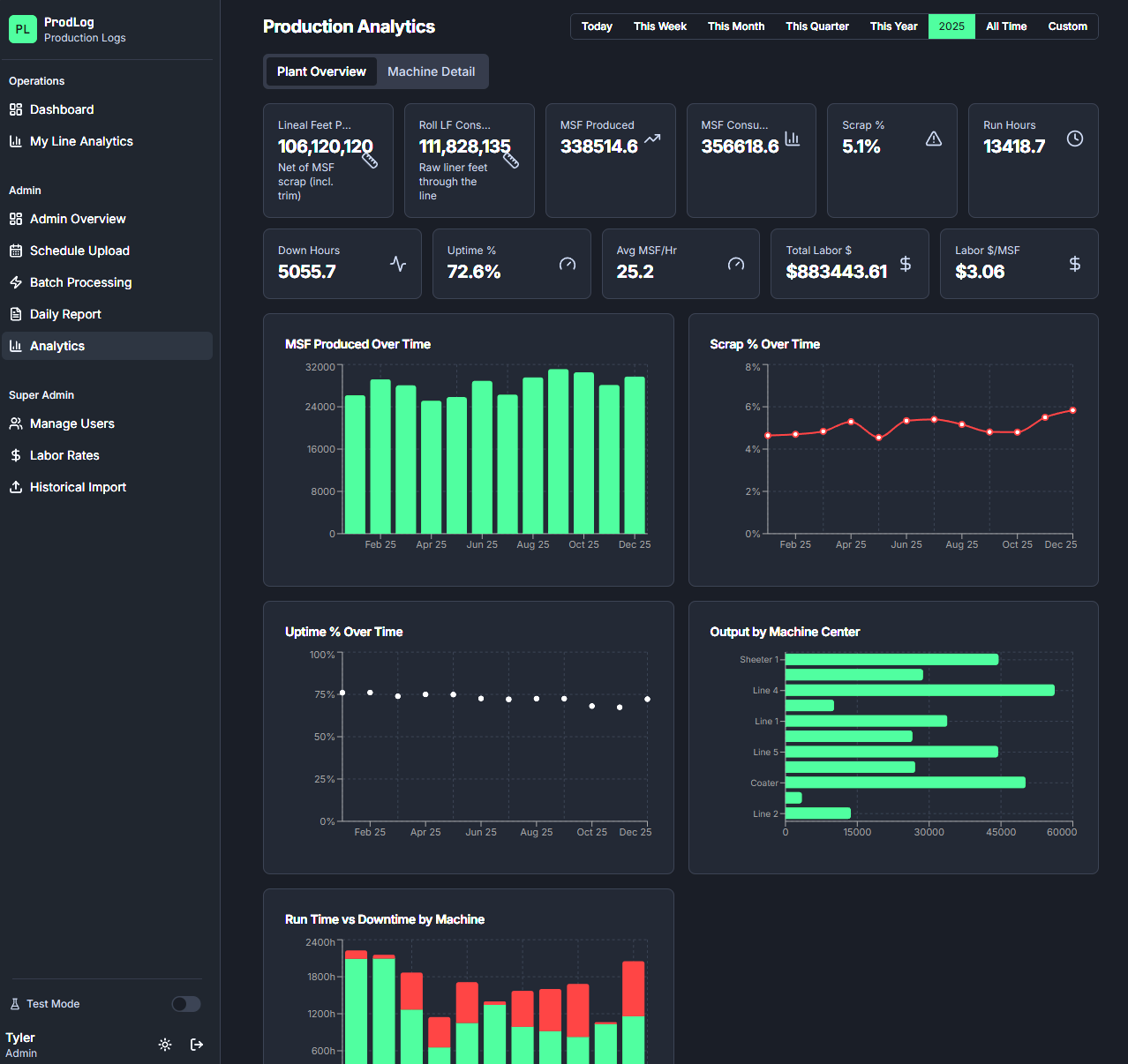
- Production analytics with MSF, scrap %, lineal feet, run time, and downtime breakdowns
- Labor cost per MSF with target variances per item
- Daily Log Report (landscape Legal, ready to print)
- Weekly Batch Processing that auto-generates Roll Stock Adjustments, WIP, and Finished Goods rollups
- Anomaly flagging for unusual scrap, downtime, or labor cost
Why It Wins
- Built for the floor, not the office: Every screen is shaped around one machine type's actual workflow — no generic forms, no checklists nobody fills out.
- Replaces three things at once: Paper logs, the spreadsheet someone retypes them into, and the weekly report someone else assembles from that spreadsheet.
- Real-time visibility: Admins see the shift while it's still happening, not Monday morning.
- Captures the math no one has time to do: MSF, scrap %, lineal feet, combo widths, labor per MSF, target variance — all computed automatically from what operators already log.
- Flexible integration: We can integrate directly into your existing systems or provide simple uploadable CSV inputs for inventory adjustments.
The Demo
Experience the admin view of a sandboxed workspace with 4 demo machines and ~60 days of production history.
- Admin Dashboard: See completed shifts ready for review and recent processed batches.
- Analytics: View scrap and labor trends per machine, by week.
- Daily Log Report: Pick yesterday and watch a print-ready report generate.
- Batch Processing: Hit "Run Batch" and watch a week of logs roll up into Finished Goods + WIP movements.
- Operator View: Open any demo machine to show exactly what the floor sees.
Note: The demo is fully interactive. A Reset Demo Data button wipes and re-seeds the dataset between sessions. Nothing in the demo touches real production data.
Launch Live Demo